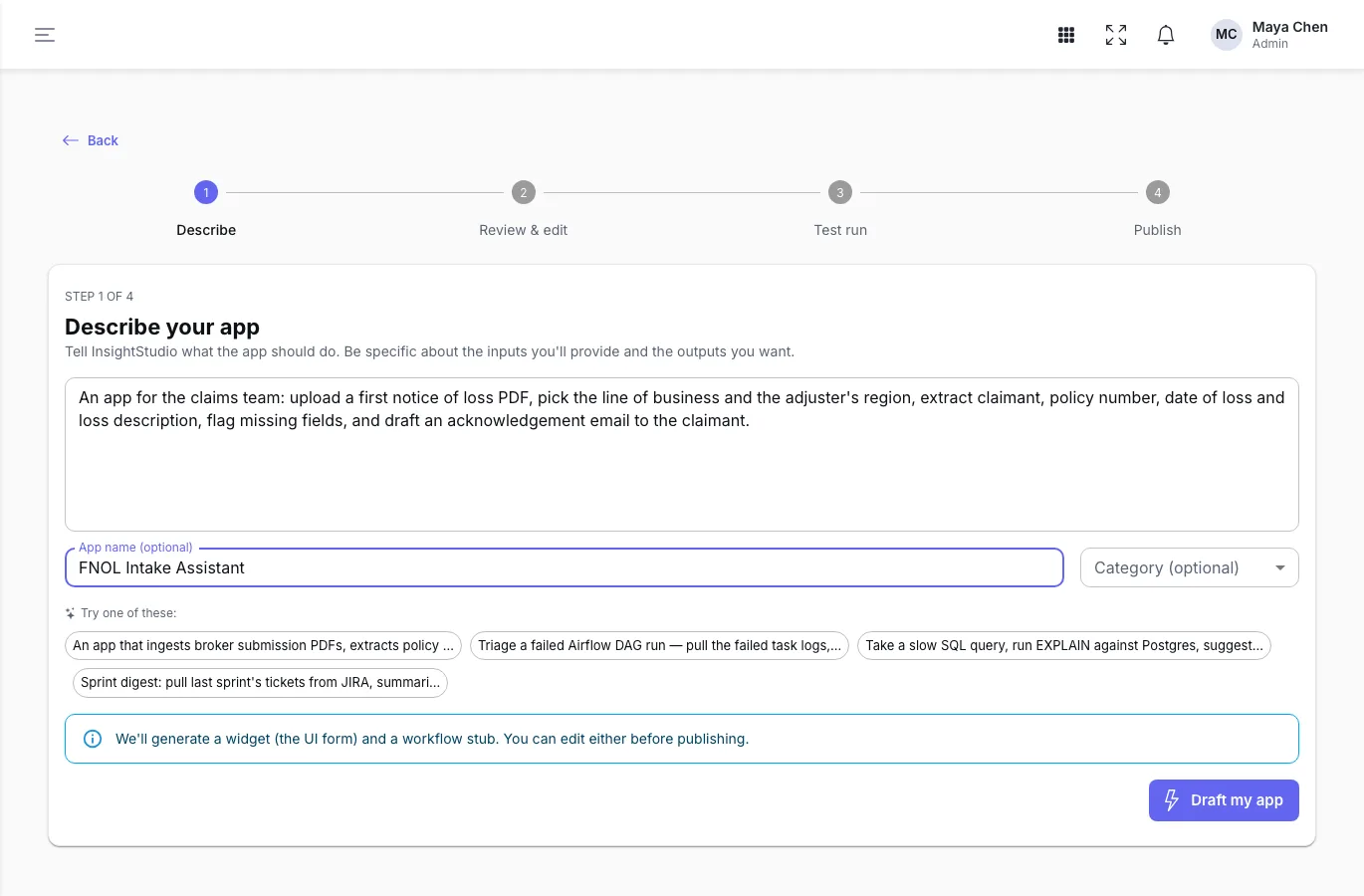
Most internal AI tools start the same way: someone gets a prompt working on their own laptop, shows it to a colleague, and then nothing happens for weeks because turning it into something the rest of the team can use means a wrapper, sign-in, a deployment and someone to answer "can you add me?". InsightStudio is built to remove that gap. It is a browser app builder and an internal marketplace, running in your environment, with the execution handed to InsightWorker agents on machines you control.
What InsightStudio is
Studio has four parts that map onto the four people involved in an internal app:
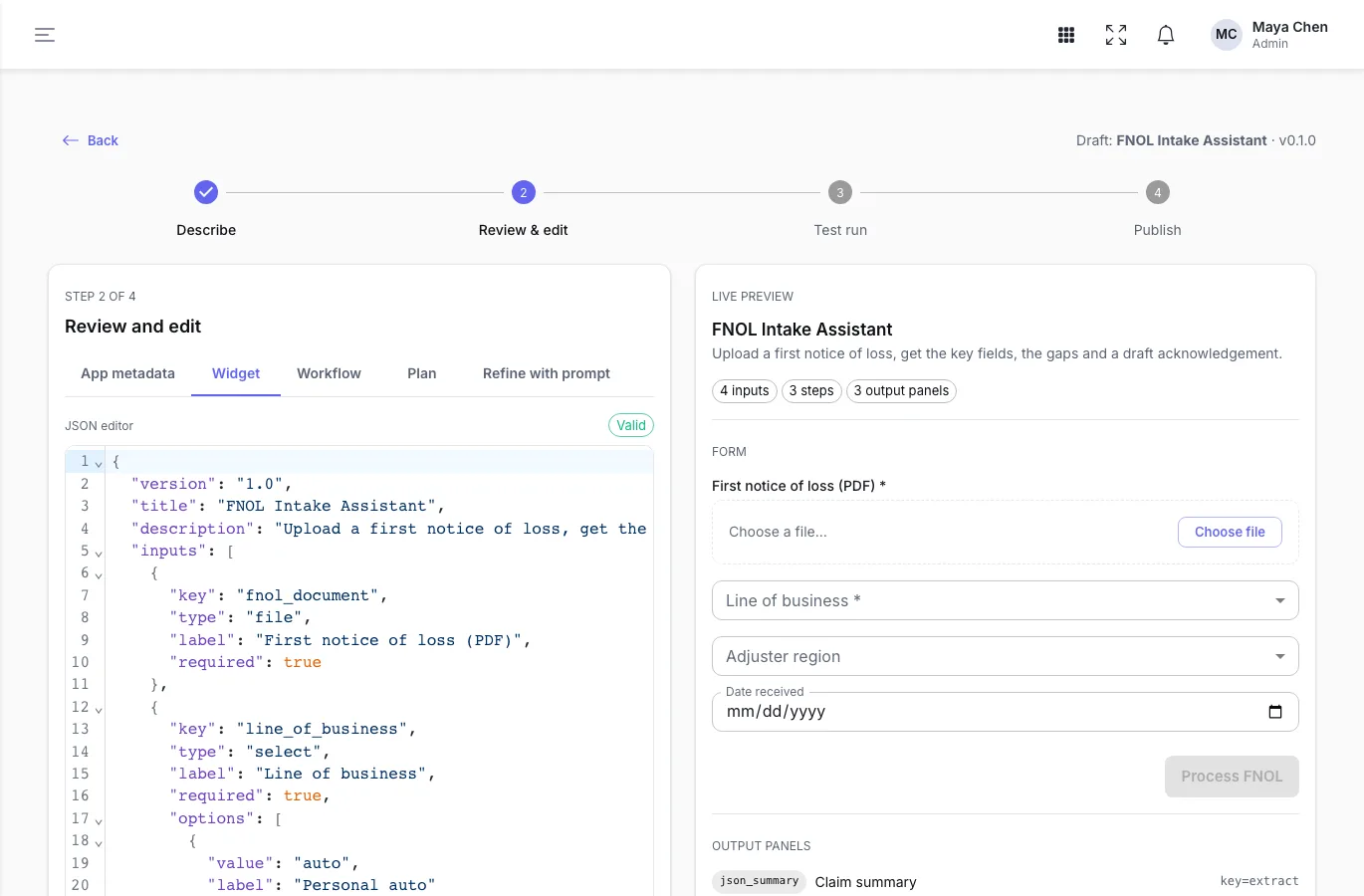
- The builder, for the person who knows the problem. They describe the app in plain English and Studio drafts a complete bundle: the form, the workflow steps, the product metadata and the agent's playbook. They review it, run it against real inputs and publish it.
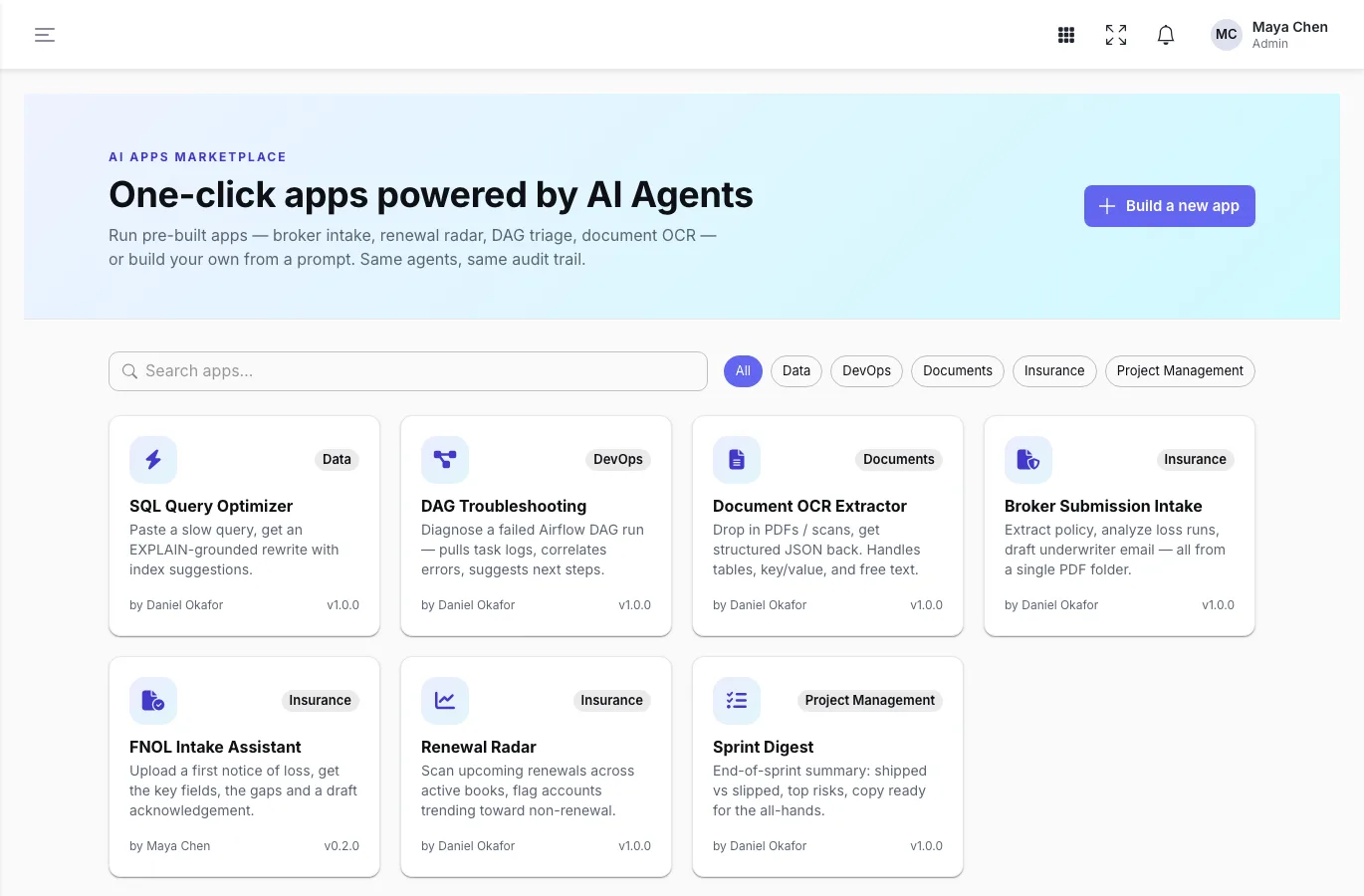
- The marketplace, for the people who will use it. It lists the published apps a person owns or has been given access to, with search and category filters. Opening an app gives a form, a live run log and an output panel per step.
- Grants and groups, for whoever decides who may use what. Each app carries its own grants (to a group, a person or everyone in the org) at one of three levels: run, edit or admin.
- The worker farm, for IT. Runs are queued in Studio and claimed by InsightWorker daemons that poll Studio over outbound HTTPS, so credentials for SharePoint, a database or a model provider live on the worker box rather than in Studio.
The marketplace is the front door
Everything a teammate sees starts in the marketplace. Cards show the app's category, a one-line description, the author and the current version. Drafts never appear here, even to their author: an app shows up only once it has been published, and only to people who own it, hold a grant for it, or are Studio administrators.
An app is a versioned bundle, not a script
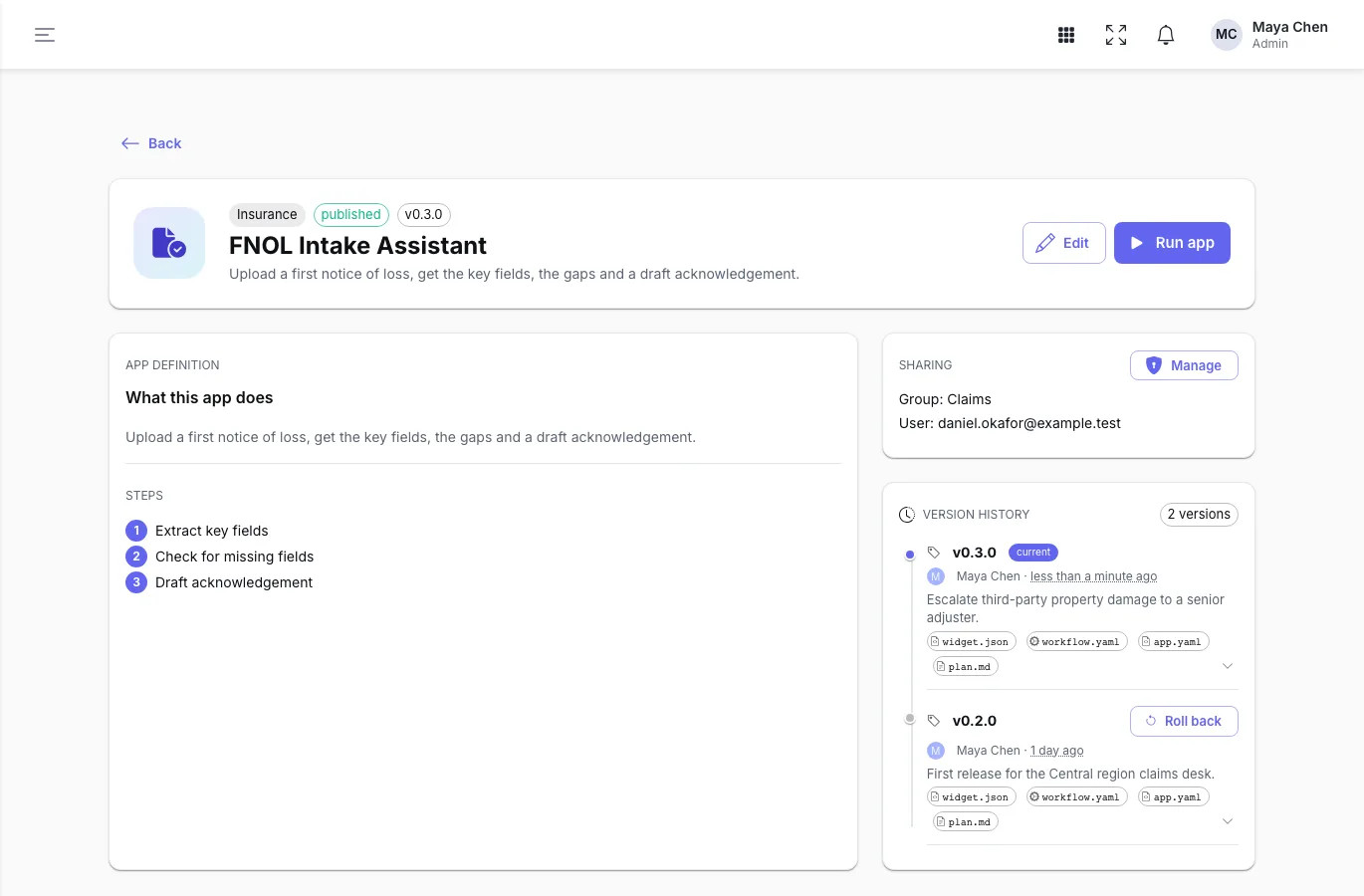
Behind each card is an app bundle: widget.json (the form and output panels), workflow.yaml
(the steps and their prompts), app.yaml (name, slug, version, owner, category, what it requires) and plan.md
(the playbook the agent follows, including what to escalate to a human). Studio validates the bundle before it can be published
and every publish creates a new, immutable version. If a configured S3 bucket is in place, the published files are also written to
apps/<slug>/v<version>/ with a LATEST pointer, which is the same layout the InsightWorker CLI publishes to.
That is why an engineer who prefers YAML in an editor and a business user in the browser end up with interchangeable apps.
What happens when someone presses Run
Starting a run creates a row in Studio with the app version, the inputs and the person who started it, in the
queued state. A worker polling Studio claims the oldest queued run, receives the form inputs and the bundle reference,
executes the steps and posts each event (started, step started, step completed, completed or failed) back to Studio. Studio stores
every event and streams them to the browser, so the person who pressed Run watches each output panel fill in, and the run stays in
their history afterwards with its version number.
Where the AI comes in
Two different things use a model, and they are configured separately:
- Drafting the app. The builder sends your description to a model (AWS Bedrock or the Anthropic API, whichever is configured) to write the form, steps and playbook in one structured response. With no provider configured, Studio falls back to a template generator that always produces a valid, generic draft and tells you so. Refining a draft by prompt needs a model.
- Running the app. The steps are executed by the InsightWorker agent on the worker box, with whatever model and tools that worker is set up for.
Governed from the first app
Three controls keep the marketplace orderly as it grows. Teammates who find an app they cannot run click Request access, and an administrator approves or denies the request, with every grant recorded in the audit log. An app surfaces in the marketplace only after a designated reviewer signs it off. And workers advertise the skills and credentials they hold, so Studio routes each run to a worker that is qualified for it. Each of these is covered where it matters in the rest of this blog.
Where to go next
The other articles go one level deeper: the builder, step by step, what is inside a bundle, how a run reaches a worker and who can see, run and change an app, followed by two worked examples and a rollout checklist.